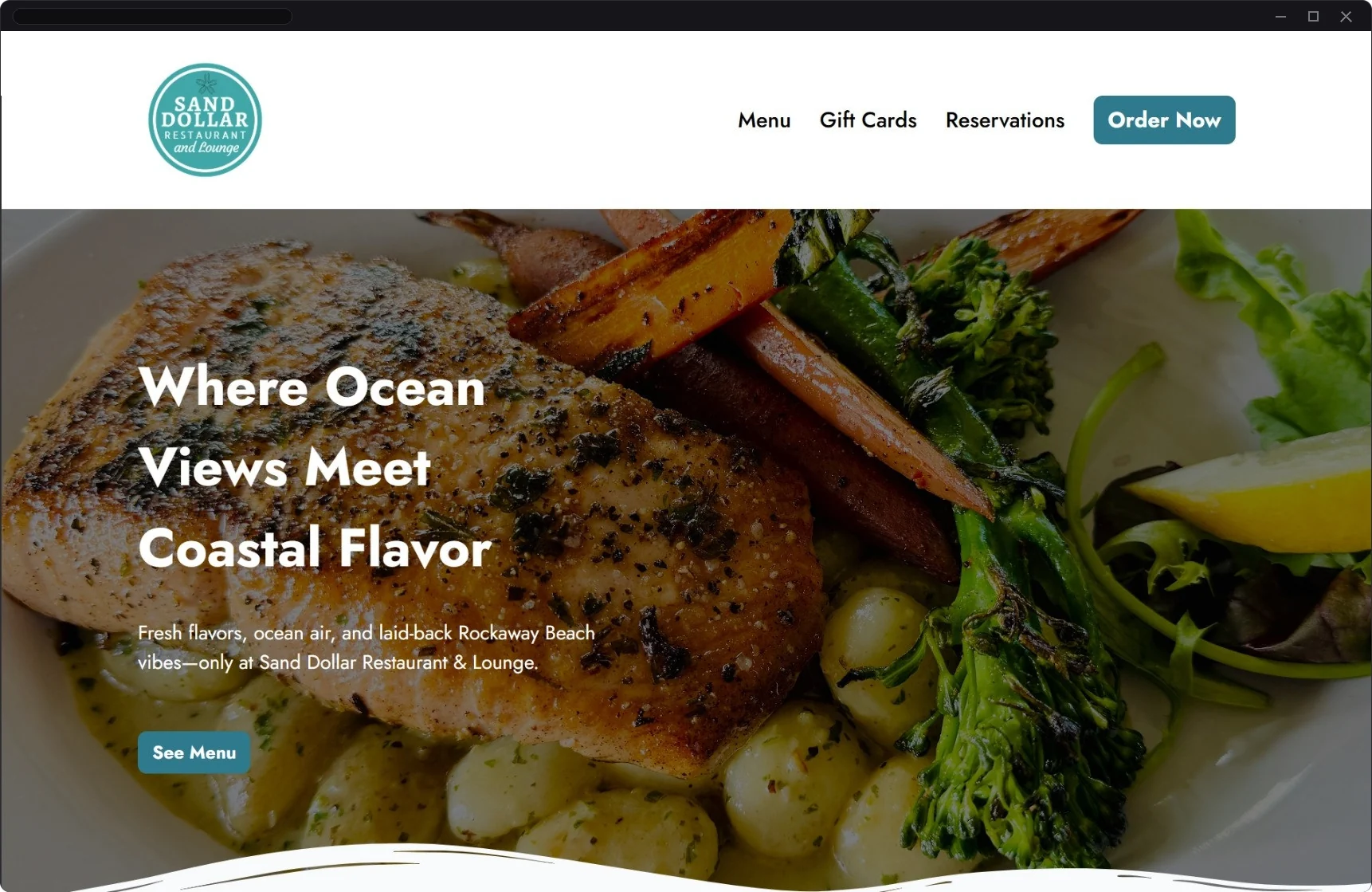
Overview
Sand Dollar Restaurant & Lounge is a restaurant, bar, and live events venue in Rockaway Beach, Oregon. New competition was opening nearby. The old website wasn’t pulling its weight.
Hours & menus were out of date. The main actions were hard to find. Nothing on the site connected to ordering, reservations, or gift cards. For a restaurant that depends on visitors finding it fast, that’s a real problem. It gets worse in summer, Sand Dollar’s busiest season.
I moved the site from GoDaddy to Shift4 & redesigned it around what guests actually come to do. Then I tied it into online ordering, reservations, gift cards, and the restaurant’s Google listing. The goal was one connected system instead of a website sitting off on its own. I wanted guests to find what they need in summer so the restaurant could hold on to its regulars & long term guests instead of losing them to other businesses nearby.
At a Glance Google numbers: April–September 2026
- 100,000Google Business Profile views
- One SystemWebsite, ordering, reservations, gift cards & POS on Shift4
- RehiredThe owner brought me back for remote seasonal work in October 2026
- PositiveFeedback from staff, the owner & guests
My Role
My scope was the website, the Google Business Profile, and the restaurant systems connected to them. The owner handled other listings like Yelp & TripAdvisor. I’m a front-end oriented web designer & developer. I use UX/UI principles to decide what goes where: clear hierarchy, short paths to the main actions, and layouts that work on any screen.
- UX ResearchGuest needs, site audit, page structure
- UI DesignLayout, navigation, visual direction
- Front-End BuildResponsive pages in the Shift4 website editor
- ContentCopy, current photos, menus, hours
- SEO & GEOGoogle listing, search & AI search visibility
- Systems & SupportOrdering, reservations, gift cards, the POS (point of sale system), staff training
- Moved from
- GoDaddy Website Builder
- Moved to
- Shift4 website, Shift4 POS, SkyTab online ordering, Shift4 reservations linked with OpenTable, Google Business Profile
- Shift4 supplied
- The website editor, online ordering, reservations, gift cards, and the POS
- I designed & set up
- Page layout, navigation, copy, photos, menus, ordering & reservation settings, plus the links between systems
UX Research & Discovery
Most people who look up a restaurant want a few things, fast: Is it open? Where is it? What’s on the menu? Can I order or book a table?
I went through the old site the way a guest would, then lined that up with the questions guests kept asking staff in person & on the phone.
What the Old Site Showed
- The main navigation only had Home & About. The menu, reservations, and online ordering were hard to find.
- The photos were strong, but the page didn’t put the most important guest actions first.
- Contact details & hours sat low on the page.
- The contact form was generic & didn’t match the decisions restaurant guests are trying to make.
- Food, drinks, catering, and venue info existed but wasn’t organized into a clear path.
Behind the Scenes
Working with the site day to day showed what screenshots can’t. Menus & hours were outdated. Pages took a lot of scrolling. Photos didn’t always match the restaurant. There was no real support for online ordering, reservations, gift cards, or events.
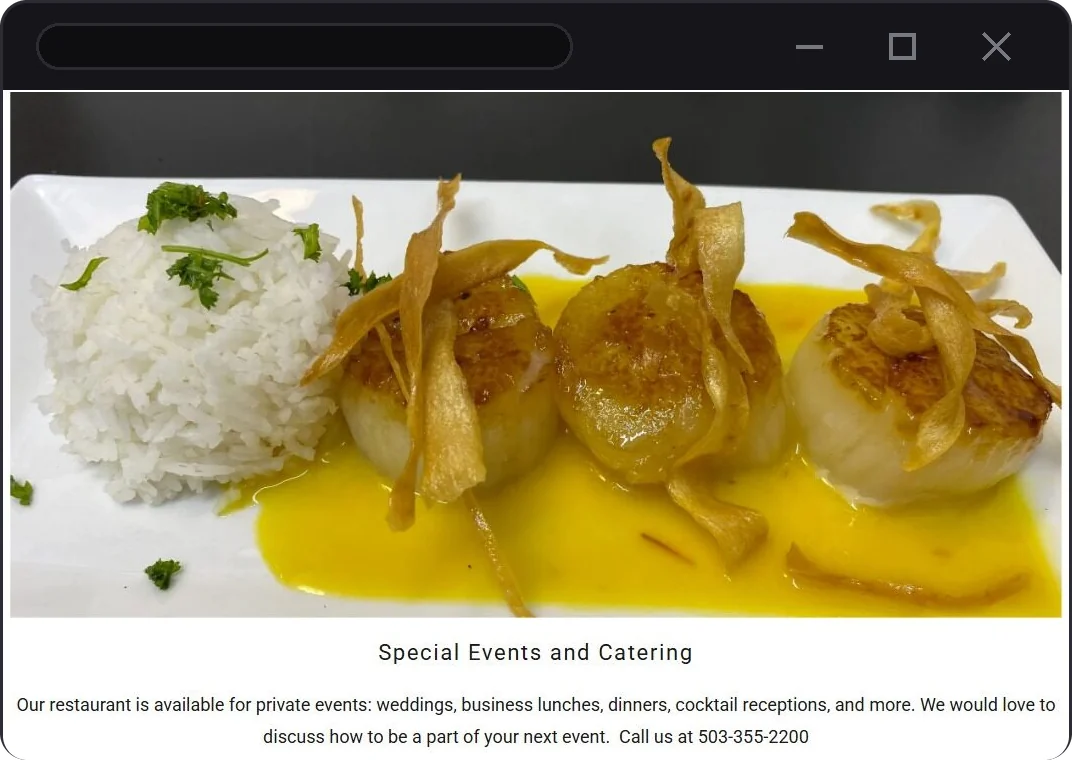
The Guest Path I Designed Around
- DiscoverFind Sand Dollar on Google, Maps, or an AI search
- ConfirmCheck the location, hours, and what they serve
- ReviewLook through the current menu
- ActOrder online, book a table, or buy a gift card
From Problem to Design Decision
| Problem on the old site | What I changed |
|---|---|
| Navigation only had Home & About | The header leads with Menu, Gift Cards, Reservations & Order Now |
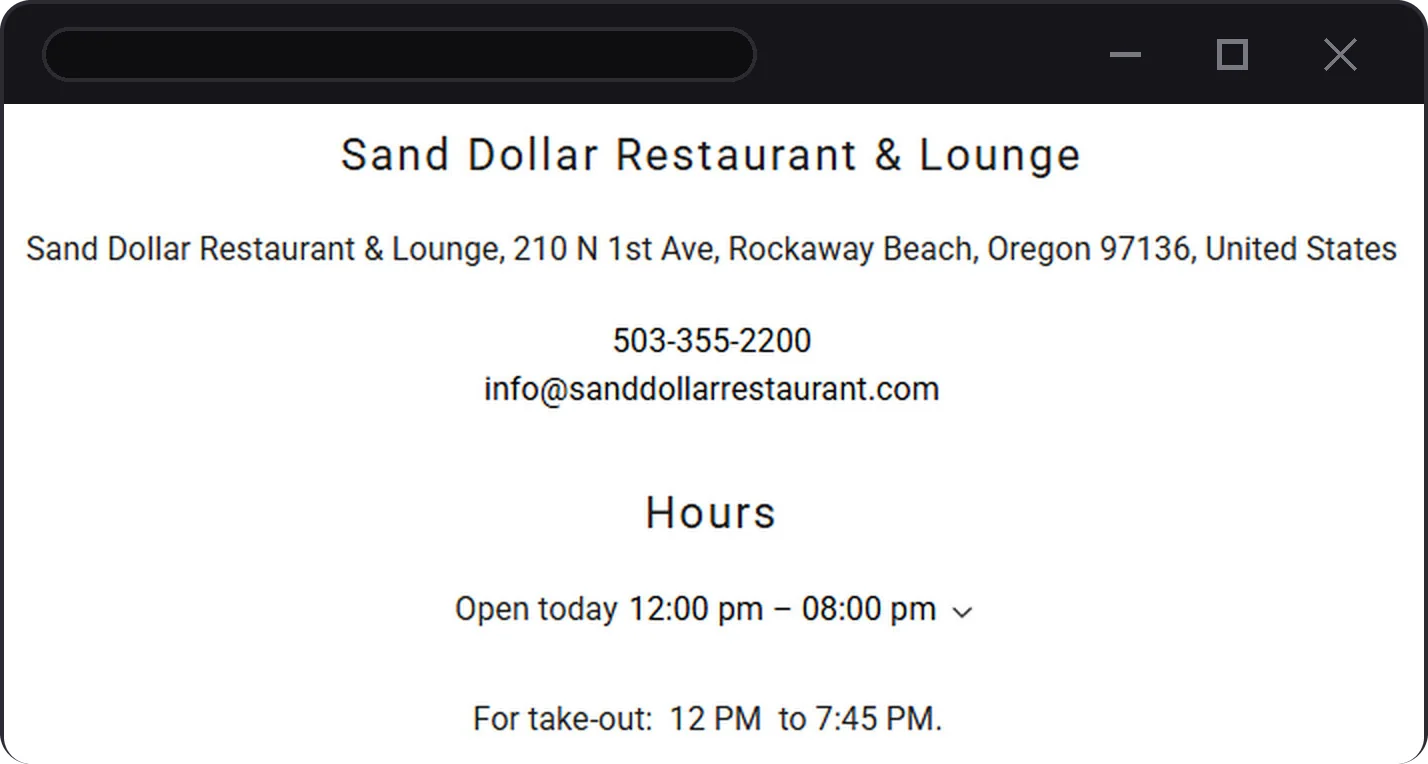
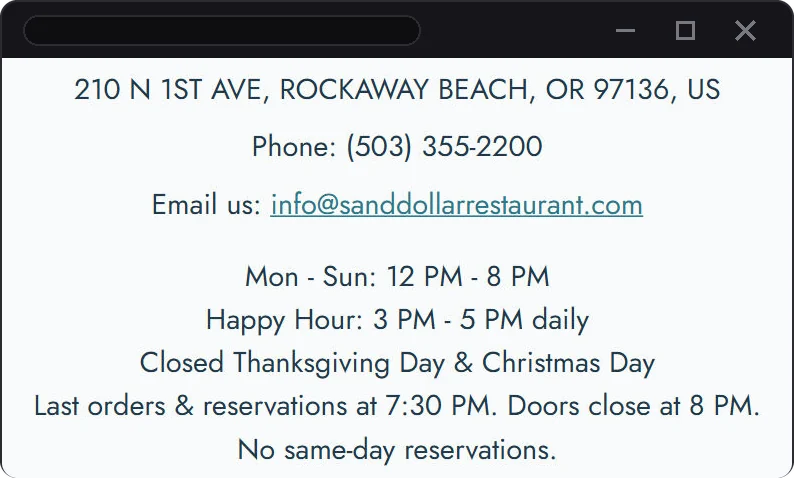
| Hours sat low on the page, with only today’s showing | Visit Us lists hours for every day, plus ordering & reservation cutoffs |
| No clear path to ordering, reservations, or gift cards | An Order Now button plus shortcuts right under the top banner |
| Menus & hours were out of date | The menu is real text that I kept current with each seasonal update |
Before & After: The Homepage
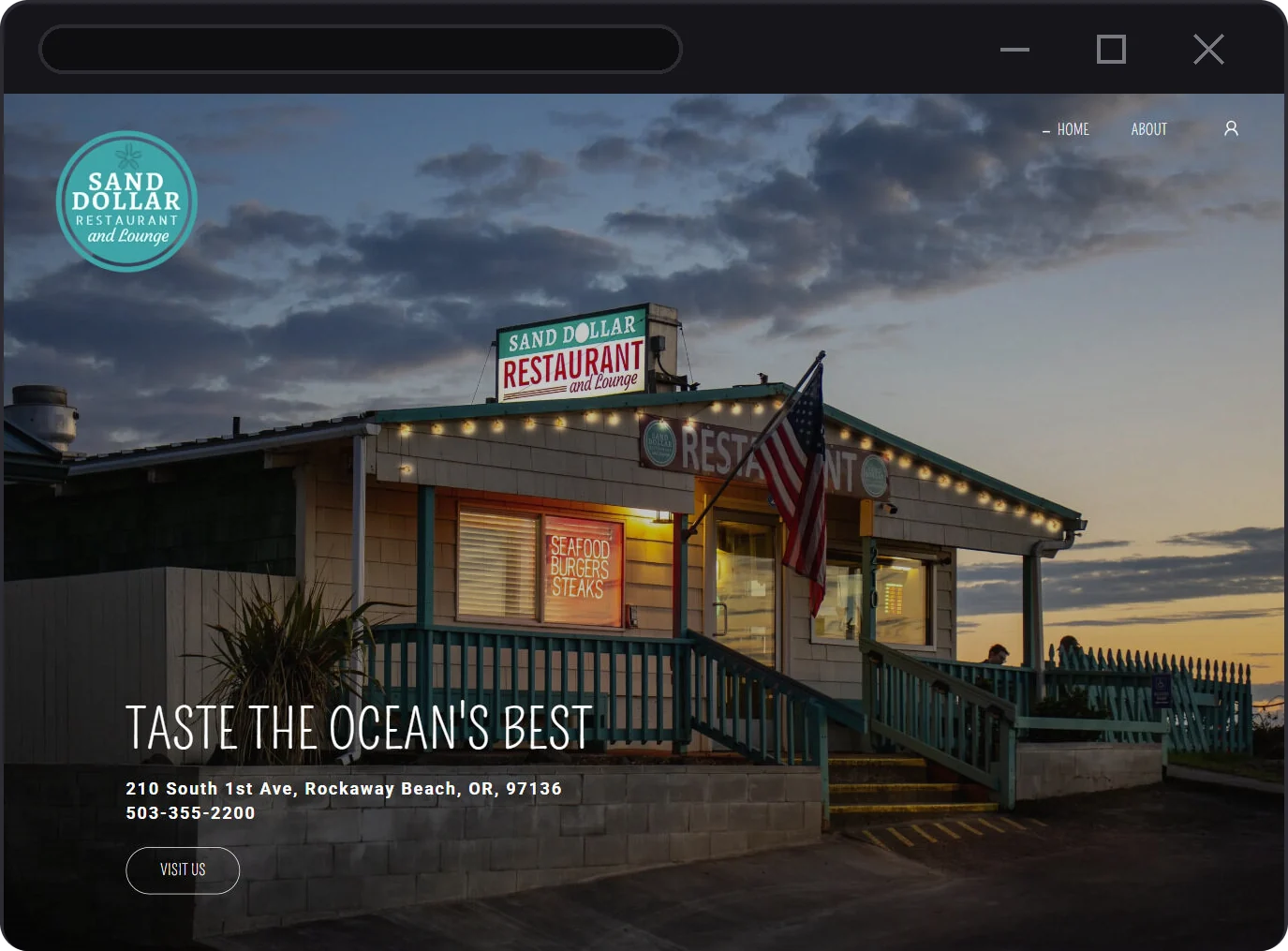
Nice Photo, No Clear Next Step
- Navigation: just Home & About
- One button, “Visit Us”
- No link to the menu, ordering, or reservations
- Hours further down the page
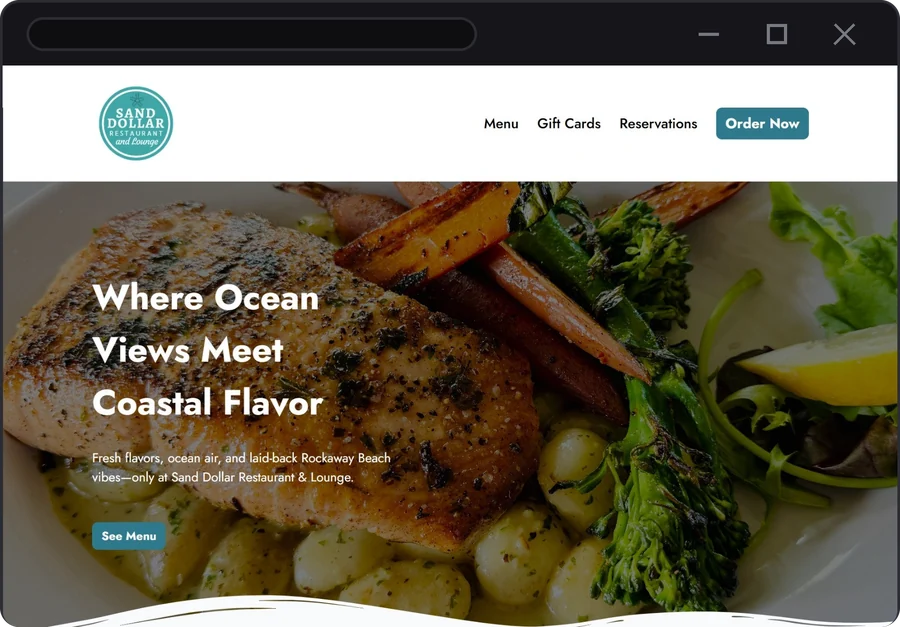
Every Main Action Up Front
- Menu, Gift Cards, and Reservations in the header
- Order Now stands out as the main button
- “See Menu” right on the top banner
- The same actions carry over to mobile
Before & After: Hours & Contact
Design & Development Approach
Mobile First: That’s Where Guests Are
Lots of people look up a restaurant on their phone right before they decide where to eat, often from the beach, a hotel room, or the car. If the site is cramped or hard to use on a small screen, they move on to the next place. So I laid out every page for a phone first, then scaled it up for desktop.
- Navigation turns into a full screen menu on mobile, led by the main guest actions.
- Shortcuts for gift cards, reservations, and ordering sit right under the top banner.
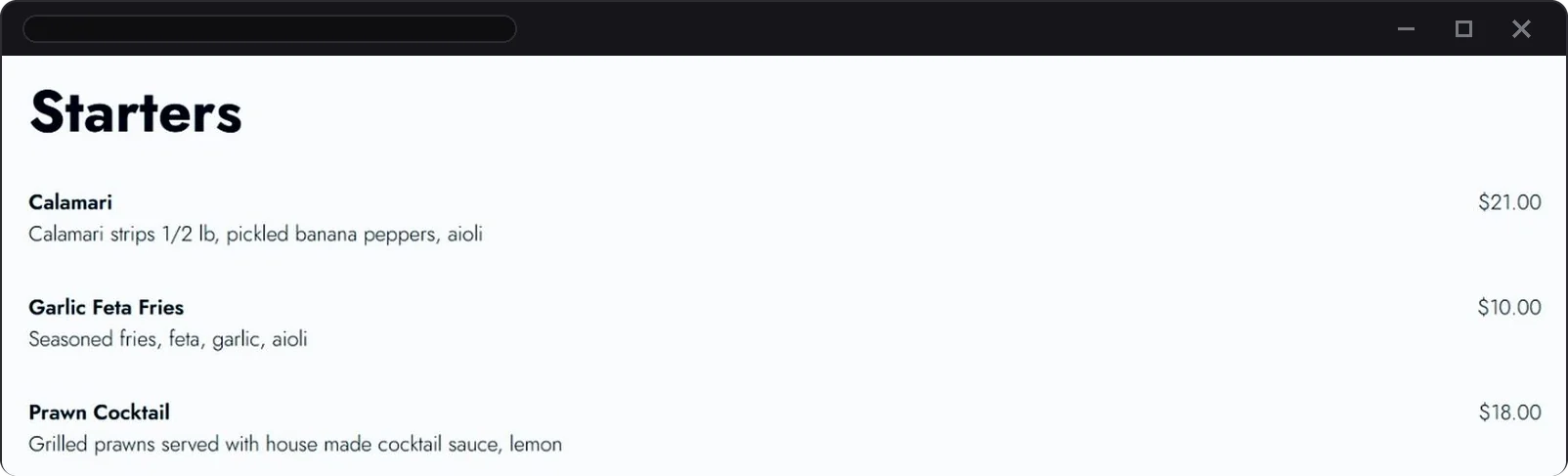
- The menu is real text with descriptions & prices that fits any screen size.
- Ordering gets its own section with a direct takeout button.
-
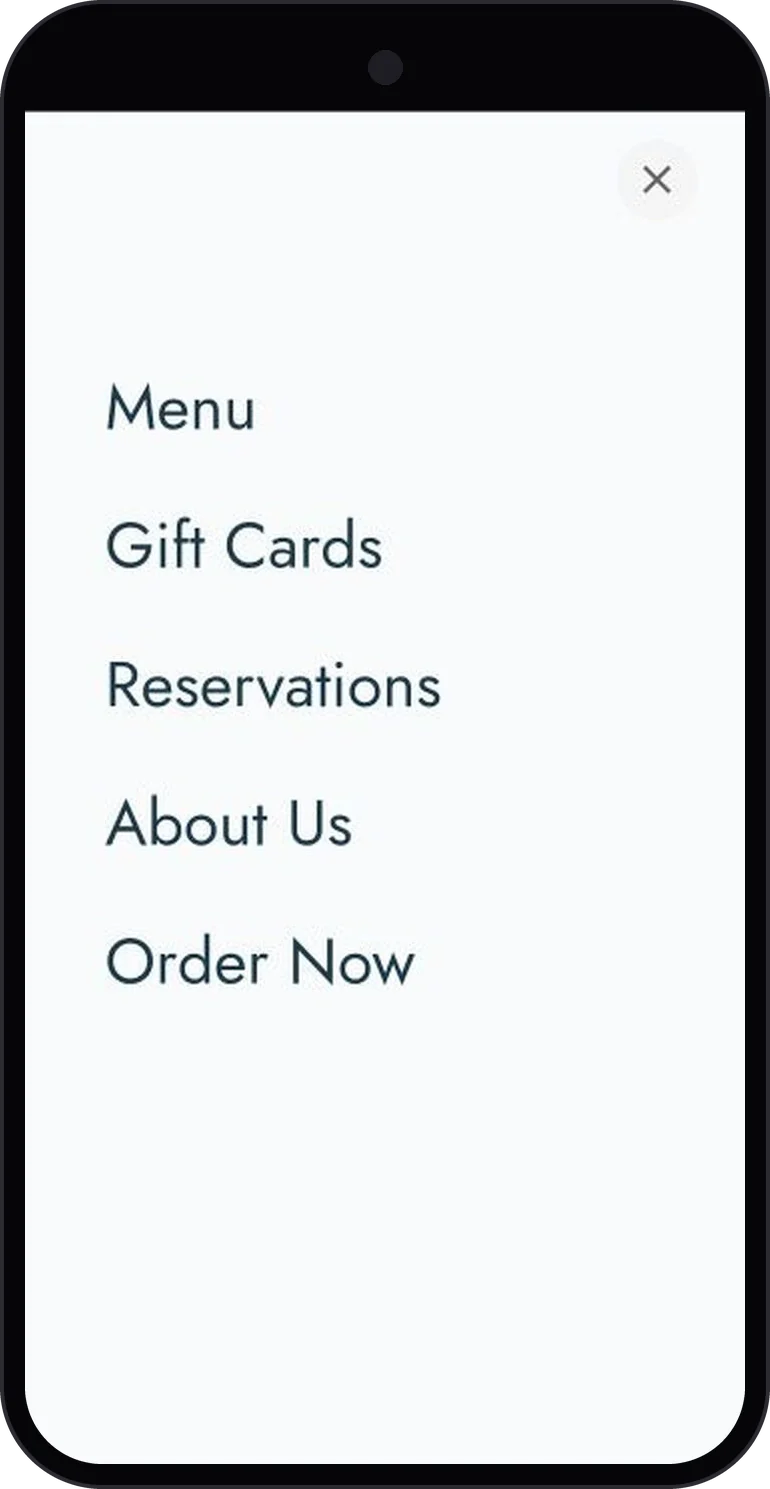
After Full screen navigation -
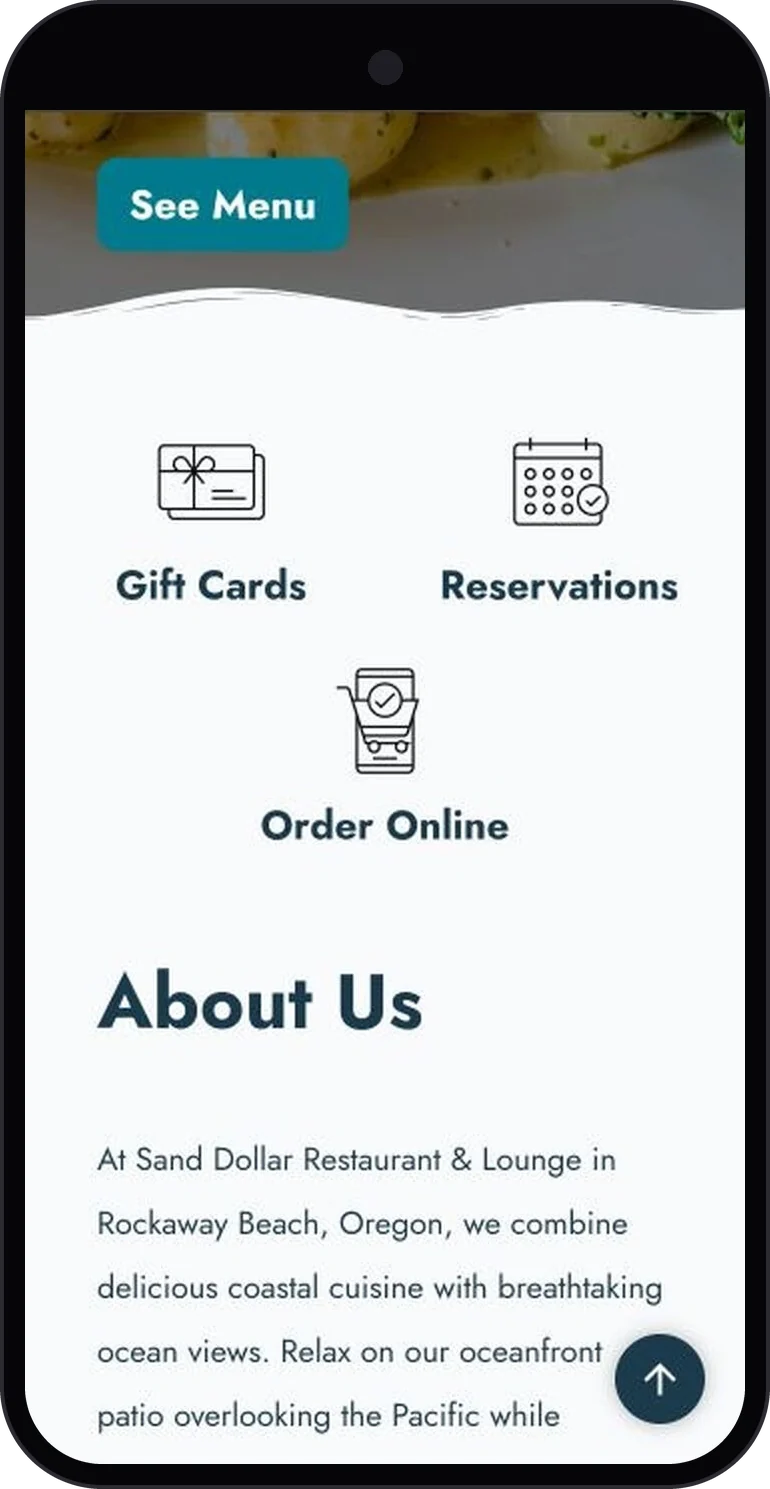
After Action shortcuts -
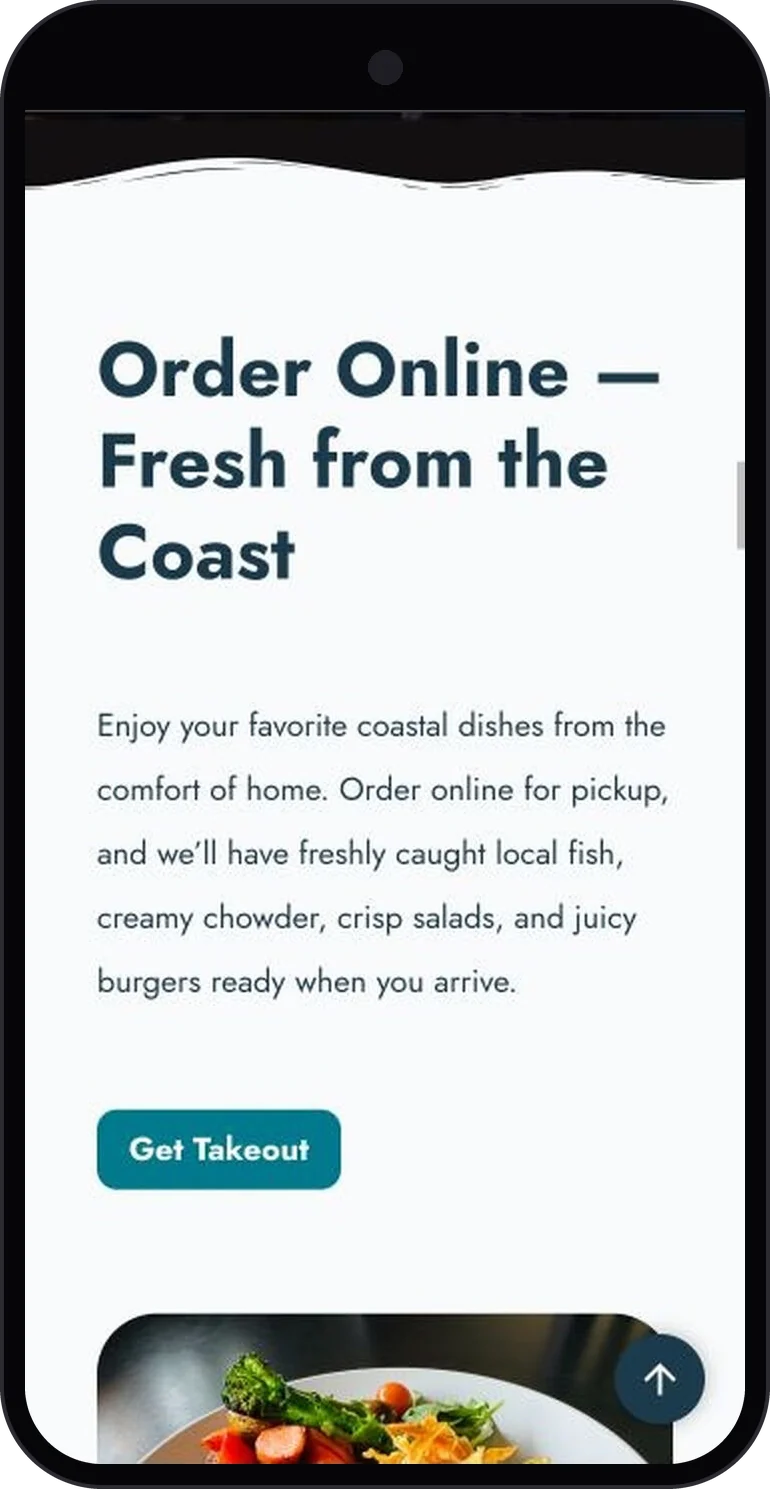
After Order online section -
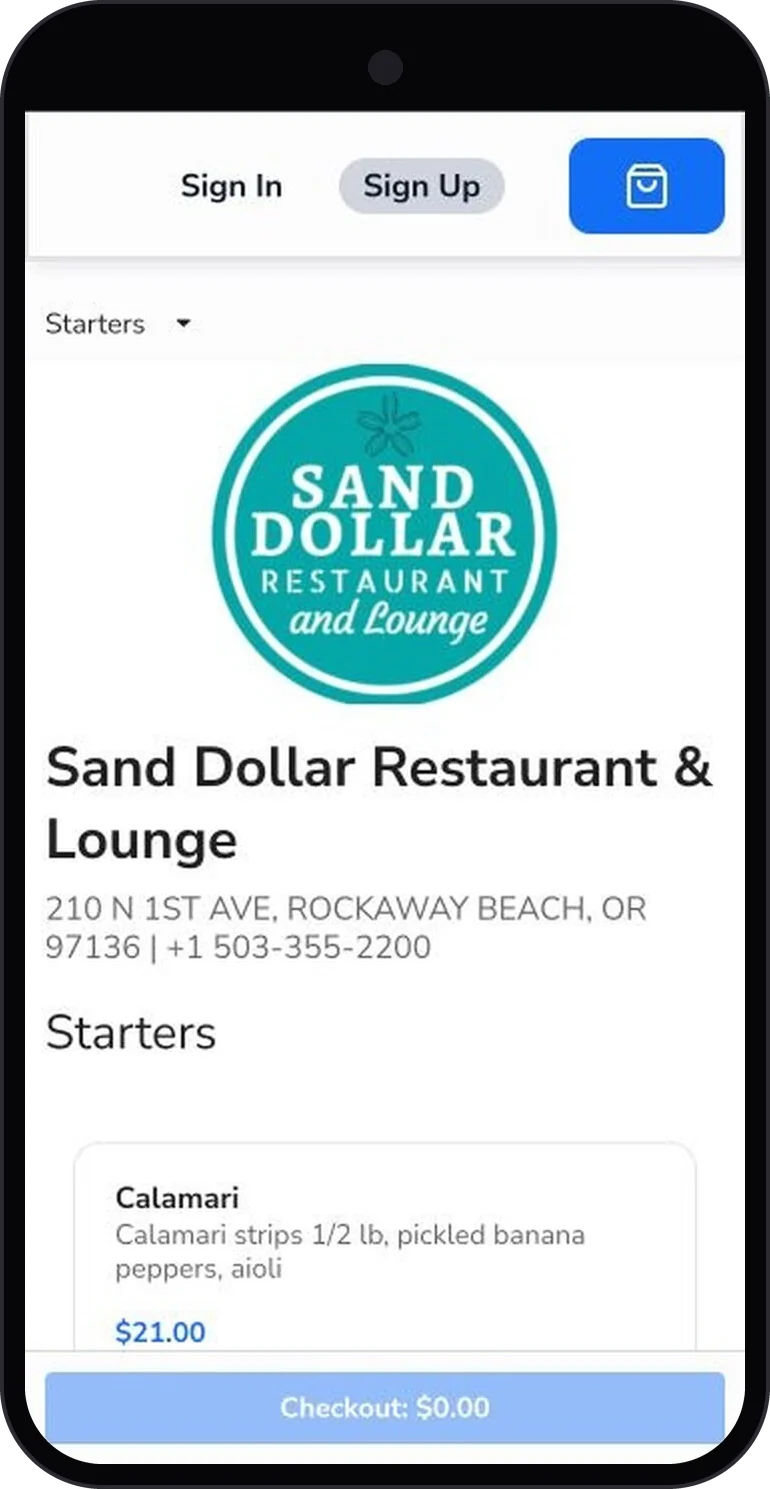
After Online ordering menu
Visual Direction
The look pulls from the restaurant itself: the teal logo, current food & dining photos, plus a wave divider that nods to the coast. Simple, warm, and easy to scan.
Building an Ecosystem, Not Just a Website
Most of Sand Dollar’s guest tools run on Shift4. I set them up to work as one system instead of separate tools.
The website, online ordering, Shift4 reservations, gift cards, and the POS menu all live in Shift4. Google, OpenTable, and the QR codes in the restaurant link back into it.
Not everything synced on its own. I kept hours, menus, and prices consistent by updating each place, publishing the changes, then checking the live pages.
Runs inside Shift4
- WebsiteMenu, hours, visit info
- Online OrderingSkyTab pickup orders
- Gift CardsDigital & physical
- Shift4 ReservationsBookings in the POS
Linked in, some updates by hand
- Google Business ProfileSearch, Maps, menu links
- QR CodesOn site in the restaurant
- OpenTableLinked to Shift4 bookings
OpenTable & Shift4 Reservations
The restaurant took bookings through both OpenTable & Shift4 reservations. I linked the two so bookings landed in the POS. Staff could see reservations alongside orders in the same system.
QR Codes in the Physical Restaurant
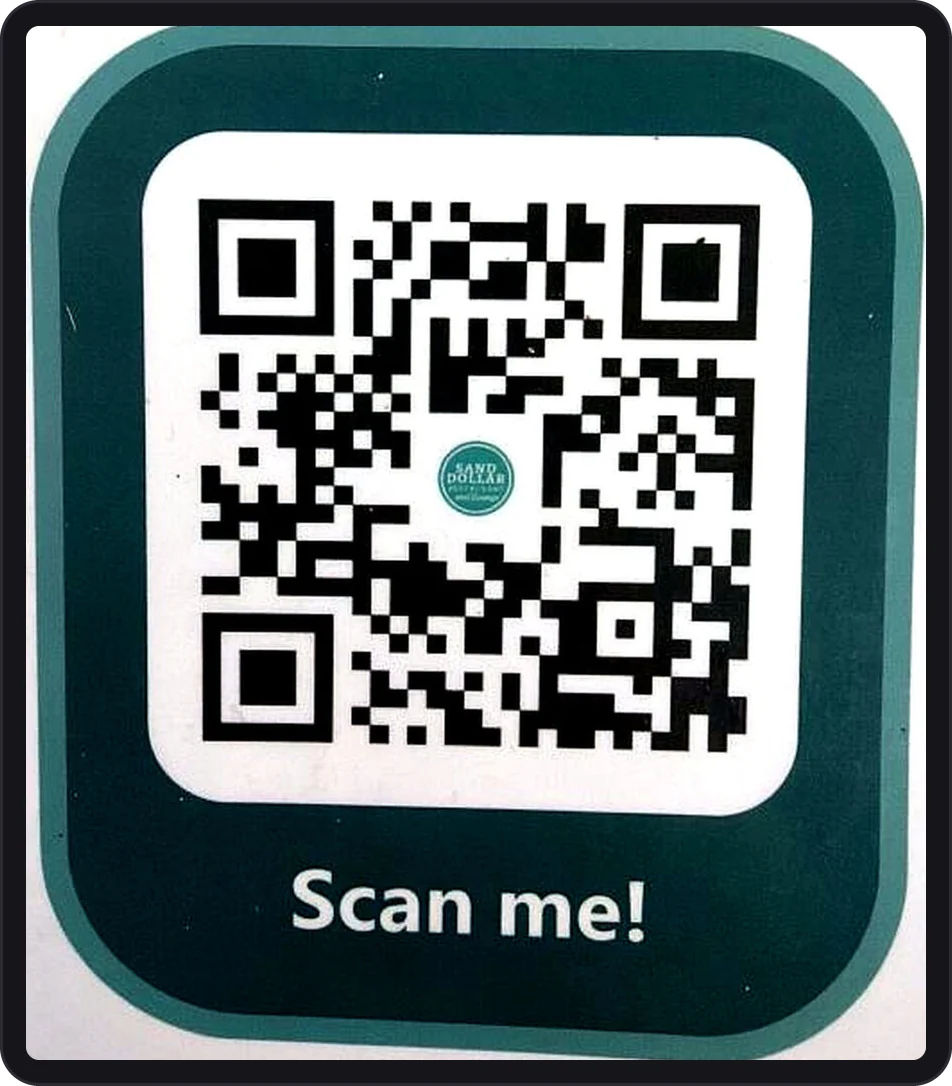
I made QR codes & placed them around the physical restaurant. Guests at a table or by the door could jump straight to the website, menu, or ordering on their own phone.
The Build
Website
- Moved the site from GoDaddy Website Builder to Shift4 & redesigned it.
- Clearer desktop & mobile navigation, new copy, current photos, social links, plus correct hours & location.
- Home
- About
One button, “Visit Us.” No link to the menu, ordering, or reservations.
- Menu
- Gift Cards
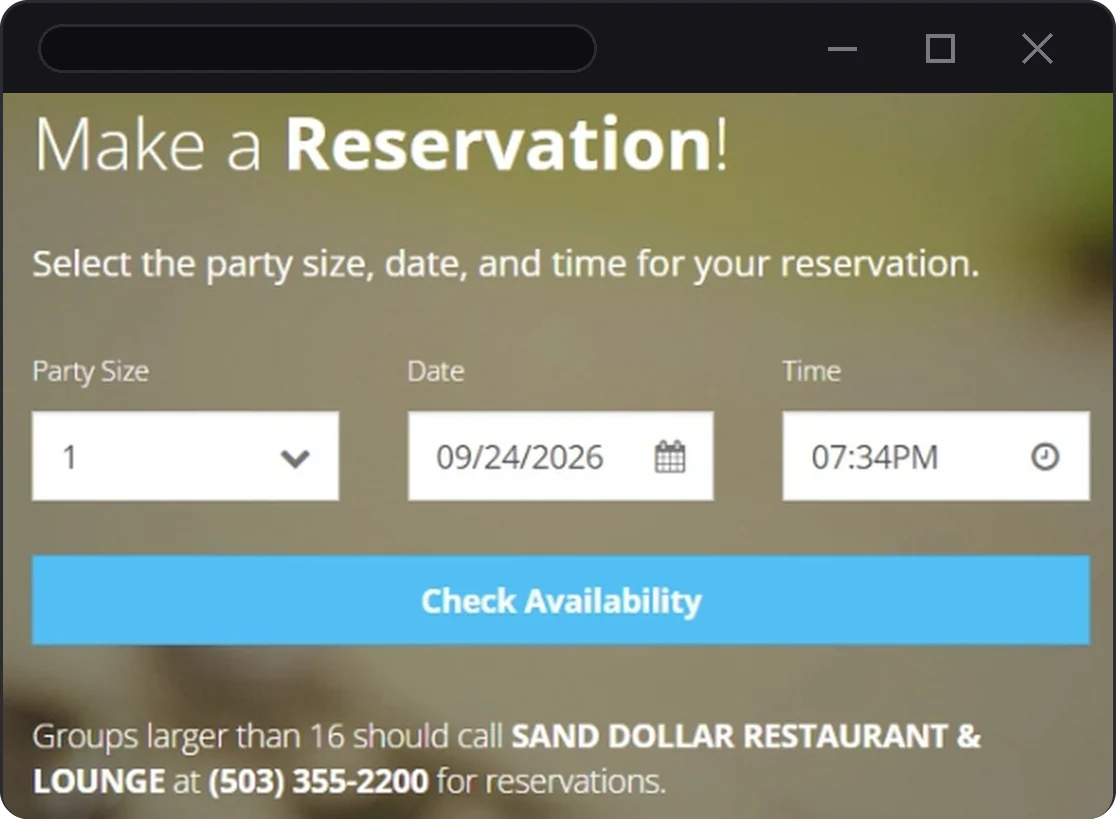
- Reservations
- Order Now
The mobile menu adds About Us. Shortcuts for gift cards, reservations & ordering sit under the top banner.
Ordering, Reservations & Gift Cards
- Built & kept up a website menu & a Shift4 online ordering menu, with rules for items that can’t be ordered online.
- Set up online ordering, reservation settings, and seasonal hours.
- Linked OpenTable & Shift4 reservations so bookings flowed into the POS.
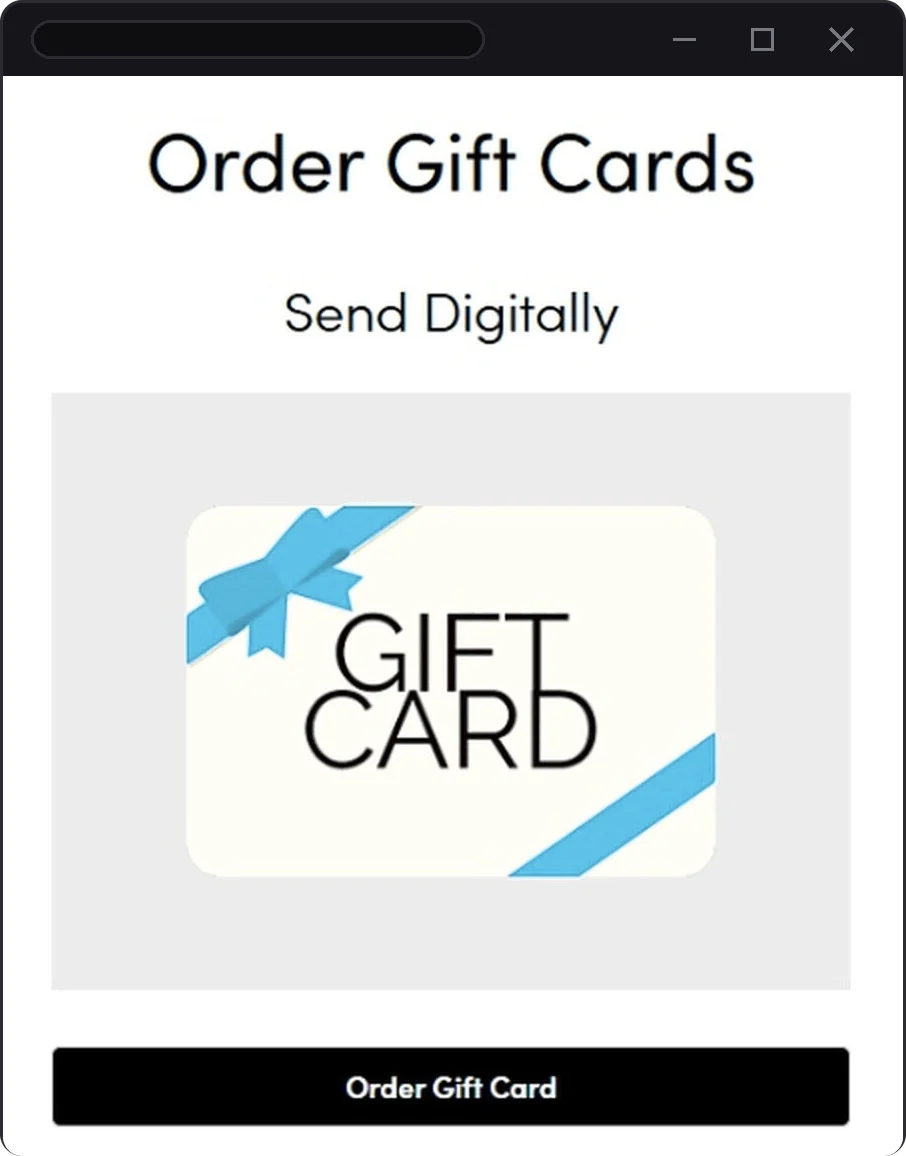
- Set up digital gift cards & physical gift card options.
Day to Day Operations
- POS menu & price updates.
- Device & connection troubleshooting.
- Staff training on payments & gift cards.
- Filed Shift4 support tickets & feature requests on a regular basis whenever I hit a gap in their ecosystem, like reservations not being able to block same day bookings or close a single holiday. Online ordering already supported holiday closures.
SEO & GEO: Getting Found
SEO helps a restaurant show up in search results. GEO (generative engine optimization) is the same idea for AI answers, like when someone asks an AI assistant “where should I eat in Rockaway Beach?”
I treated the restaurant’s info like content that has to be easy for both people & machines to read: clear, current, and the same everywhere it appears.
SEO
- Site submission, page titles, and descriptions.
- Location keywords & real menu content on the page.
- Google Maps & Google Business Profile upkeep: hours, photos, plus links to the website, menu, ordering, and reservations.
GEO
- The same name, address, phone, and hours everywhere: the site, the Google listing, the ordering pages.
- Menus as real text, with dishes & prices that can be read & quoted.
- Plain, descriptive copy that answers what guests ask: what it is, where, when it’s open, and what it serves.
- A complete, current Google listing.
After the Work: My AI Prompt Test
I tested local prompts across these AI tools. Sand Dollar’s name & website came up as the number one result.
- Tools
- ChatGPT by OpenAI, Claude by Anthropic, Google Gemini, Google AI Overviews, Perplexity
- Perplexity models
- Sonar 2, GPT-5.6 Terra, GPT-6.1, Gemini 3.7 Flash, Claude Sonnet 5, Claude Opus 5.5, Kimi K3, GLM 5.3, Grok 4.6, Nemotron 3 Ultra
These were my own tests, not a tracked ranking. AI answers can change over time.
Results & Impact
These numbers come from two different dashboards with different time frames. I keep them apart because they aren’t steps in one path.
Google Business Profile
April–September 2026 September is a partial month
- 100,000Profile views
- 39,000Searches
- 15,187Customer interactions
- 5,592Website clicks
- 5,876Menu content views
In August 2026 alone, the profile logged 709 direction requests.
Website & SkyTab
Latest 31 day reporting window
- 3,542Website visitors
- 6m 43sAverage visit time
- 178Clicks into the SkyTab online ordering flow
- ~5.0%Ordering clicks ÷ website visitors (178 ÷ 3,542)
Online ordering clicks are clicks into the ordering flow, not completed orders or revenue.
A Gap in the Reporting
The same reporting view showed 0 attributed orders & $0 in attributed sales alongside the 178 clicks into ordering. It didn’t establish how those clicks related to completed orders. That’s a reporting gap I’d like to see Shift4 close.
What People Noticed
- Staff responded well to the new website & the cleaner POS workflow.
- Training got easier because menus & payment steps were clearer.
- The owner & guests gave positive feedback. Guests used the site.
- Clear, current info online meant fewer basic questions from guests.
These results reflect the combined effect of the redesigned website, updated local search presence, restaurant operations, seasonality, and guest interest, not the redesign alone. No revenue, completed orders, or sole cause is claimed.
Method and limitations
Source materials: Google Business Profile performance dashboards supplied by the client/project owner and the SkyTab website analytics dashboard. Google metrics cover April–September 2026, with September incomplete as of September 20, 2026. Website/SkyTab metrics use a separate latest-31-days window. Google views, searches, and interactions are platform-reported performance measures and should not be interpreted as a deduplicated, step-by-step user funnel. Online-order clicks show intent to open the order flow; they are not attributed orders or revenue. The August direction request figure comes from the same Google Business Profile records. The AI prompt results come from my own tests after the work was done, across the tools & Perplexity models listed on the SEO & GEO page, not a tracked metric, and AI answers can change over time.
Key Takeaway
A restaurant website only works when it’s connected. Google, the site, the menu, ordering, and reservations all have to tell guests the same thing, especially on a phone. People went for the menu & the website most. That backs up putting the menu, hours, and main actions first.
Reflection & Next Steps
What I Learned
The best call I made was treating the website, ordering, POS, and Google listing as one system & keeping hours & menus the same in each place. Most of the old site’s problems were really consistency problems. Staying consistent is as much an operations habit as a design choice.
Working inside the restaurant while building for it changed how I prioritize. The questions guests ask at the door or on the phone became the site structure. Next time I’d set up better tracking on day one so the impact is easier to measure.
Working Within Shift4’s Template
Shift4’s website editor set the page layout. My design work was in what I could control: section order, navigation, copy, photos & settings. This diagram shows the top of the mobile homepage. I drew it after launch from the live site.
- The menu button opens a full screen menu led by the main guest actions.
- “See Menu” sits right on the top banner.
- Shortcuts for gift cards, reservations & ordering sit right under the banner.
- About Us comes after the main actions.
After the Job: Rehired for Seasonal Work
-
April–September 2026
Redesign, launch, and ongoing upkeep while employed at the restaurant.
-
October 7–8, 2026
The owner was happy with the results & brought me back for remote seasonal work. I handled the Fall/Winter refresh: new hours, ordering cutoffs, reservation windows, menu updates, and holiday notices. I updated the website, Shift4, and Google, then checked the website, ordering & reservation changes live. One hours change touched eight different places.
How I Use AI in My Workflow
I use AI tools for research, drafts, and checks. This case study was put together with generative AI help from my own notes, screenshots, and data. I edited it & checked every claim myself.
Next Steps
- A regular seasonal update routine so hours, menus, ordering, and listings stay in sync every time the menu changes.
- Keep pushing Shift4 on feature requests, like letting reservations block same day bookings & close single holidays.
- Set up better before & after tracking for future changes.